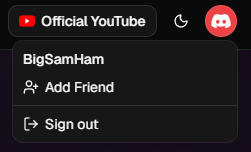
Start by clicking on your profile icon in the top right. Click on the "Add Friend" button.
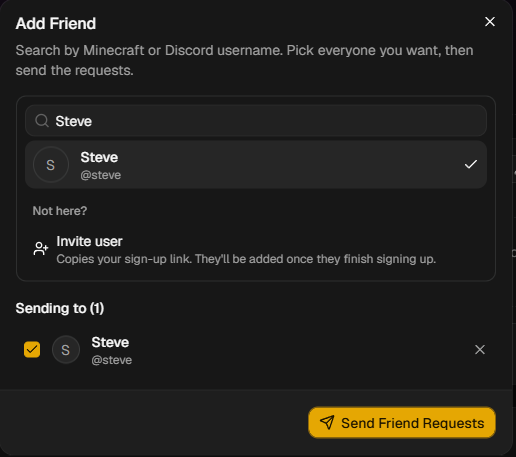
Begin by typing in the username of the person you wish to add. This will likely match their Discord username exactly unless they changed it manually themselves. Once you're done selecting friends to add, click the Send Friend Requests button.
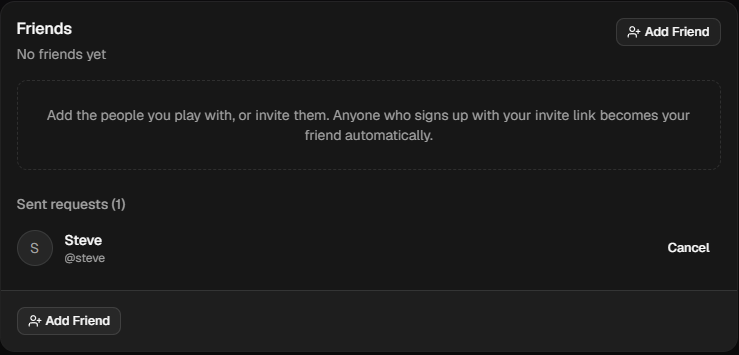
Friend requests that have not yet been accepted are visible on your Profile page (accessible by clicking your profile icon in the top right and then clicking your name). Here's what it looks like when you're waiting for a friend to accept your request:
If someone else requested to be your friend, you can accept their request in the Profile page as well.
Once they've accepted, they'll show up as part of your friends list on the Profile page!
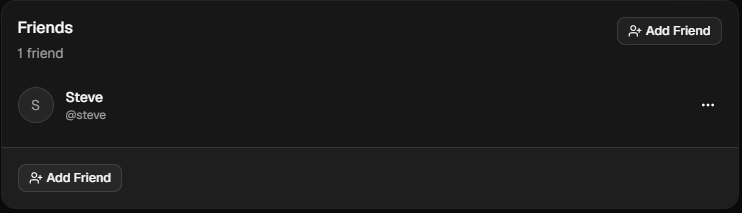
If you ever wish to remove a friend, click the dropdown buttons on the right and click "Remove Friend".